

NeoGeo is a free WordPress plugin. It present a map and asks you to locate countries, cities, river or what ever you want to quiz; just upload a GeoJSON file. Download it for free. Try a couple of example quizzes below (see map below) Enjoy.
=== NeoGeo ===
Contributors: GeographyBiz
Tags: maps, geojson, quiz, geography, leaflet
Requires at least: 6.0
Tested up to: 6.9
Requires PHP: 7.4
Stable tag: 1.0.0
License: GPLv2 or later
License URI: https://www.gnu.org/licenses/gpl-2.0.html
Create interactive geography map quizzes from GeoJSON files using Leaflet. No coding required.
== Description ==
NeoGeo lets you turn GeoJSON files into fully interactive map-based quizzes directly inside WordPress.
Upload your data, choose what users should identify, and instantly create engaging geography quizzes powered by Leaflet.
### Core Workflow
1. Upload a valid `.geojson` file.
2. Choose geometry type and quiz fields.
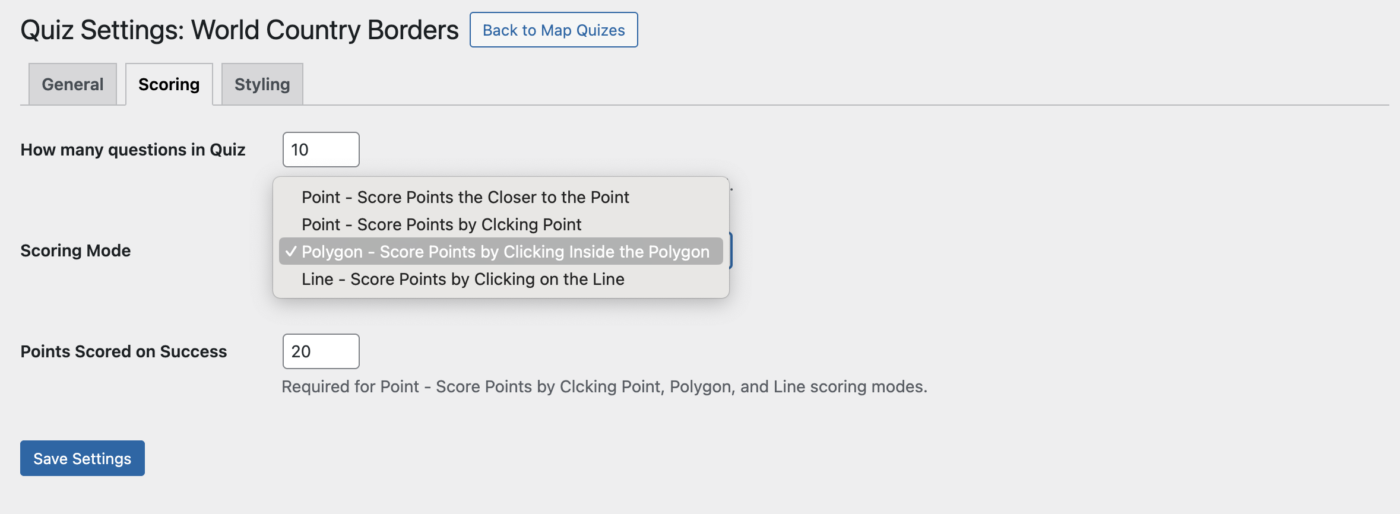
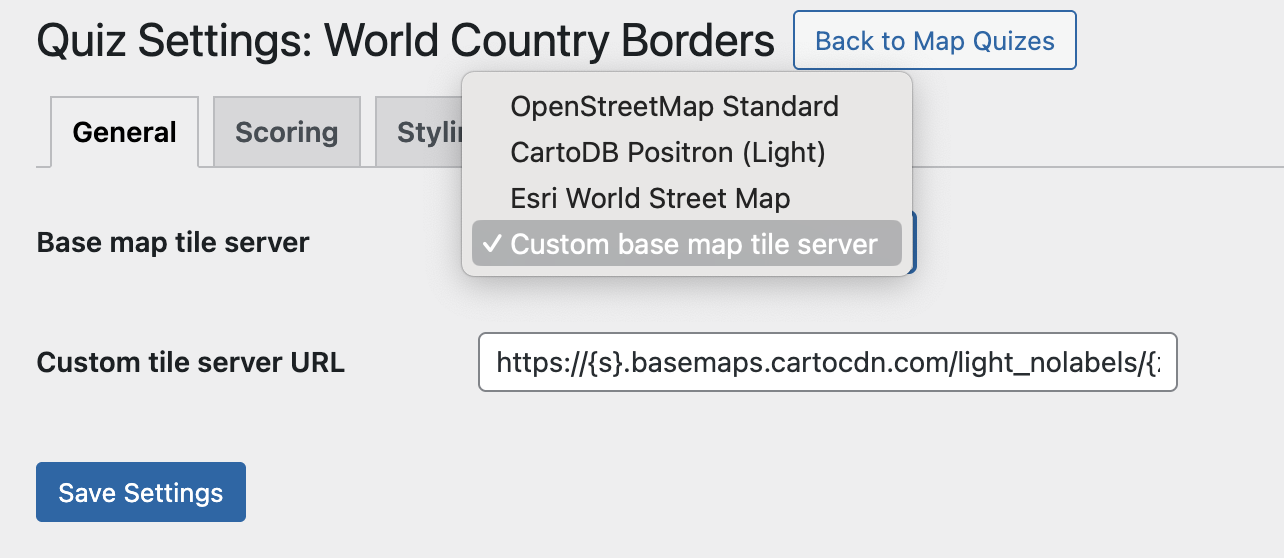
3. Configure quiz settings (Gener al, Scoring, Styling).
4. Publish the quiz.
5. Embed it anywhere with a shortcode.
NeoGeo includes an admin dashboard, quiz management tools, feature inspection, geometry-based styling controls, and frontend quiz rendering using bundled Leaflet assets.
### Main Features
– Upload and validate GeoJSON files before quiz creation.
– Store uploaded GeoJSON files in the plugin `geojson` directory.
– Prevent duplicate GeoJSON filenames.
– Select prompt/test fields and display fields during import.
– Geometry-aware quiz behavior for Point, Line, and Polygon data.
– Publish/unpublish controls for frontend visibility.
– Shortcode rendering with automatic map extent fitting.
– Multiple scoring modes:
– Point (distance-based)
– Point click
– Polygon click
– Line click
– Configurable scoring values (including distance-based zero-score cutoff).
– Geometry-specific styling controls in admin.
– Bulk actions in quiz list (publish, unpublish, delete).
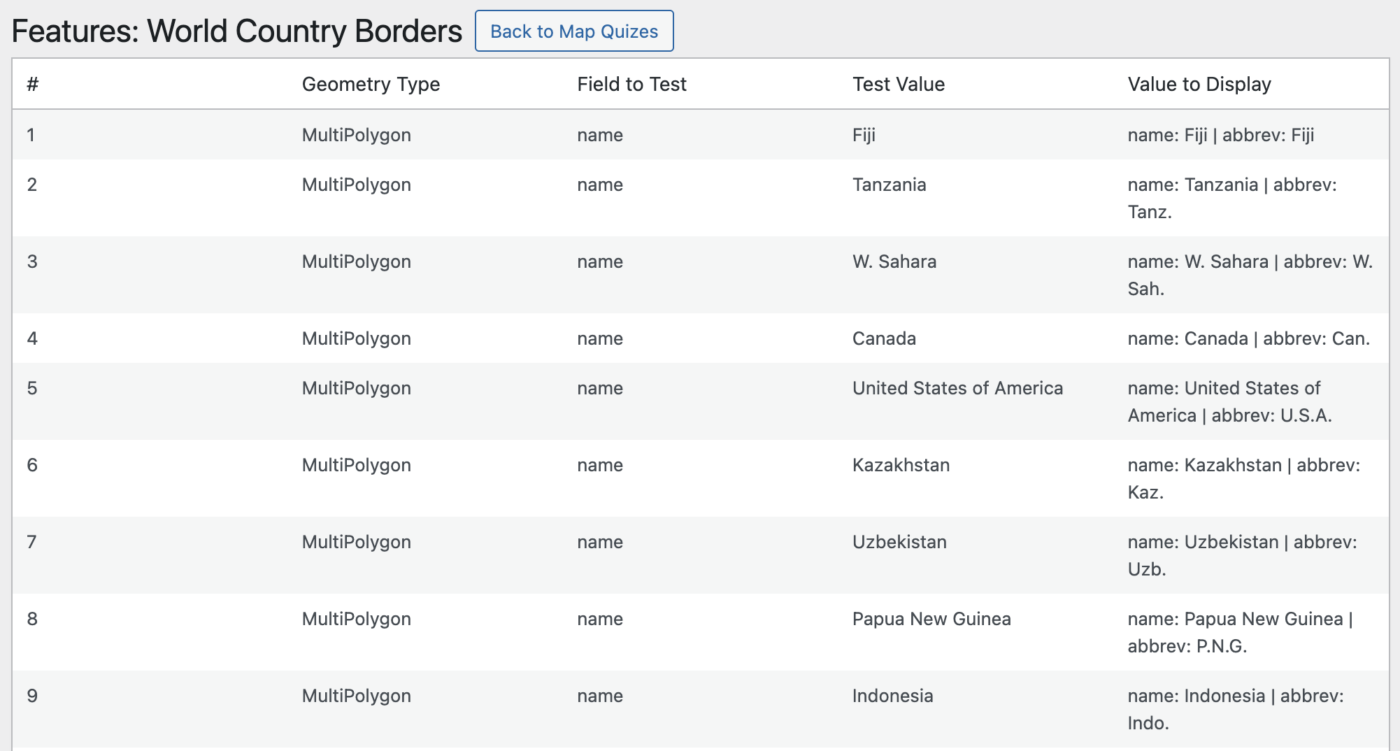
– Feature inspection table with field-to-test and display output.
### Who is this for?
– Teachers and educators
– Geography websites and bloggers
– Travel and learning platforms
– Developers working with GeoJSON
### Security
All uploaded GeoJSON files are validated before being stored and processed. Invalid or malformed files are rejected during upload.
== Installation ==
1. Upload the `neogeo` folder to `/wp-content/plugins/`, or install via ZIP in WordPress admin.
2. Activate **NeoGeo** through the Plugins screen.
3. Go to **NeoGeo > Map Quizzes**.
4. Click **Add New** and upload a valid `.geojson` file.
5. Complete the import prompts and save quiz settings.
6. Publish the quiz and embed it with a shortcode.
== Frequently Asked Questions ==
= How do I display a quiz? =
Use:
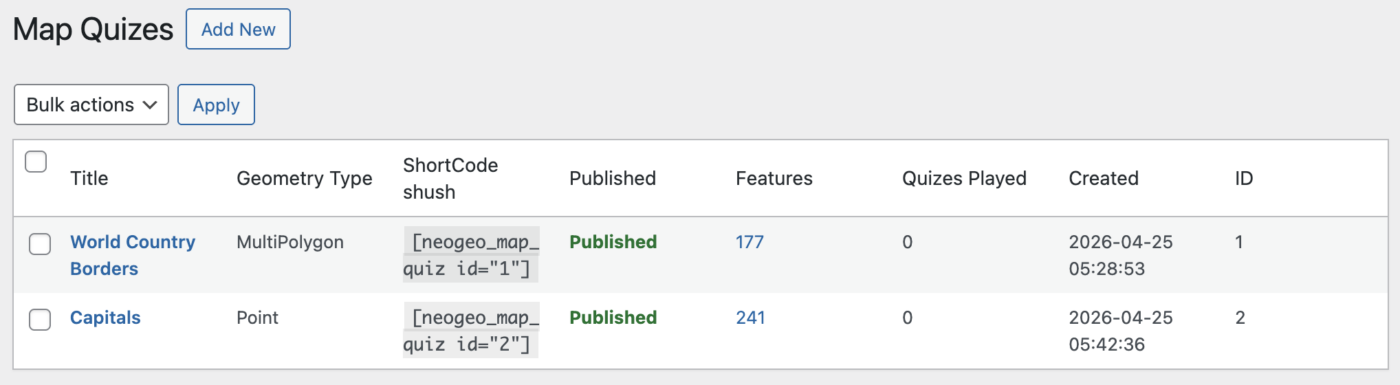
[neogeo_map_quiz id="1"]
Replace `1` with the quiz ID shown in the Map Quizzes table.
= Why does the shortcode show nothing or show an unavailable message? =
The quiz must be in **Published** status to render on the frontend.
= What GeoJSON files are supported? =
The plugin validates JSON and GeoJSON structures and supports common geometry types:
– Point / MultiPoint
– LineString / MultiLineString
– Polygon / MultiPolygon
– Feature / FeatureCollection
– GeometryCollection (where applicable)
= Can I style quizzes differently for points, lines, and polygons? =
Yes. The **Styling** tab changes available controls based on the selected geometry type.
= How is scoring handled? =
In the **Scoring** tab you can configure:
– Number of questions
– Scoring mode
– Points awarded for correct answers
– Distance cutoff for point-based scoring
= Where are uploaded files stored? =
Uploaded GeoJSON files are saved in:
`wp-content/plugins/neogeo/geojson/`
= Are third-party services required? =
No. The plugin bundles Leaflet locally.
If you choose to use external map tile providers, tiles are requested directly from those providers at runtime.
== Usage ==
### Create a quiz
1. Open **NeoGeo > Map Quizzes**.
2. Click **Add New**.
3. Upload a `.geojson` file.
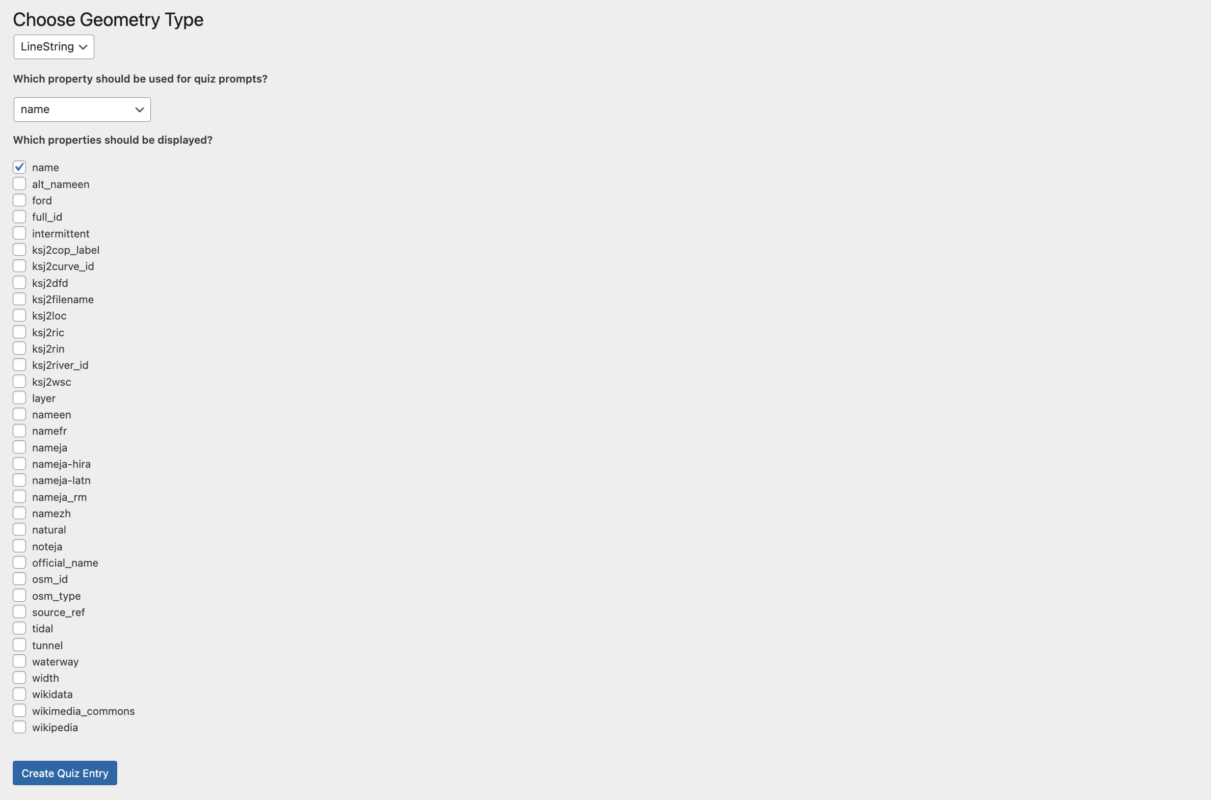
4. Choose geometry type.
5. Select:
– Property used for prompts/tests
– Properties used for display output
6. Create the quiz.
### Configure settings
Open a quiz to access:
– **General**: tile server selection
– **Scoring**: scoring mode and values
– **Styling**: geometry-specific rendering controls
### Publish
From **Map Quizzes**, toggle status to **Published**.
### Embed
Insert the shortcode into any post or page:
[neogeo_map_quiz id="QUIZ_ID"]
== Screenshots ==
1. NeoGeo dashboard screen
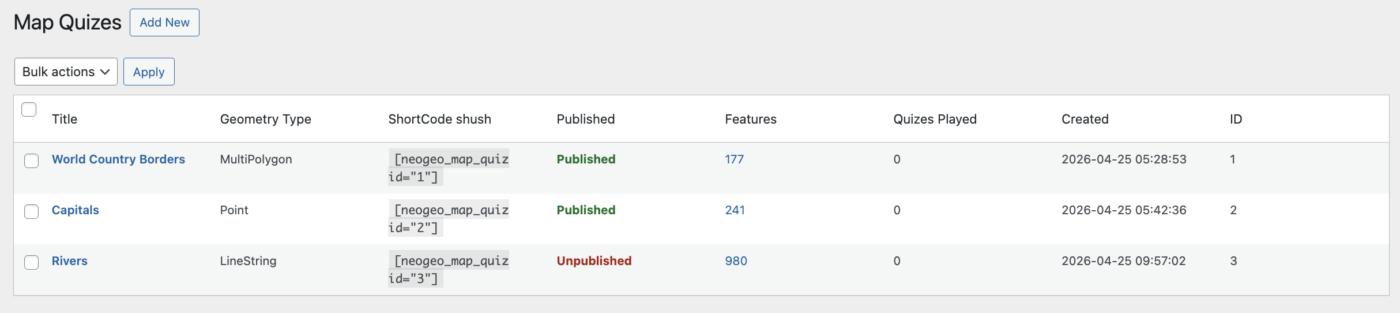
2. Map Quizzes list table with status and bulk actions
3. GeoJSON import flow with geometry and property selection
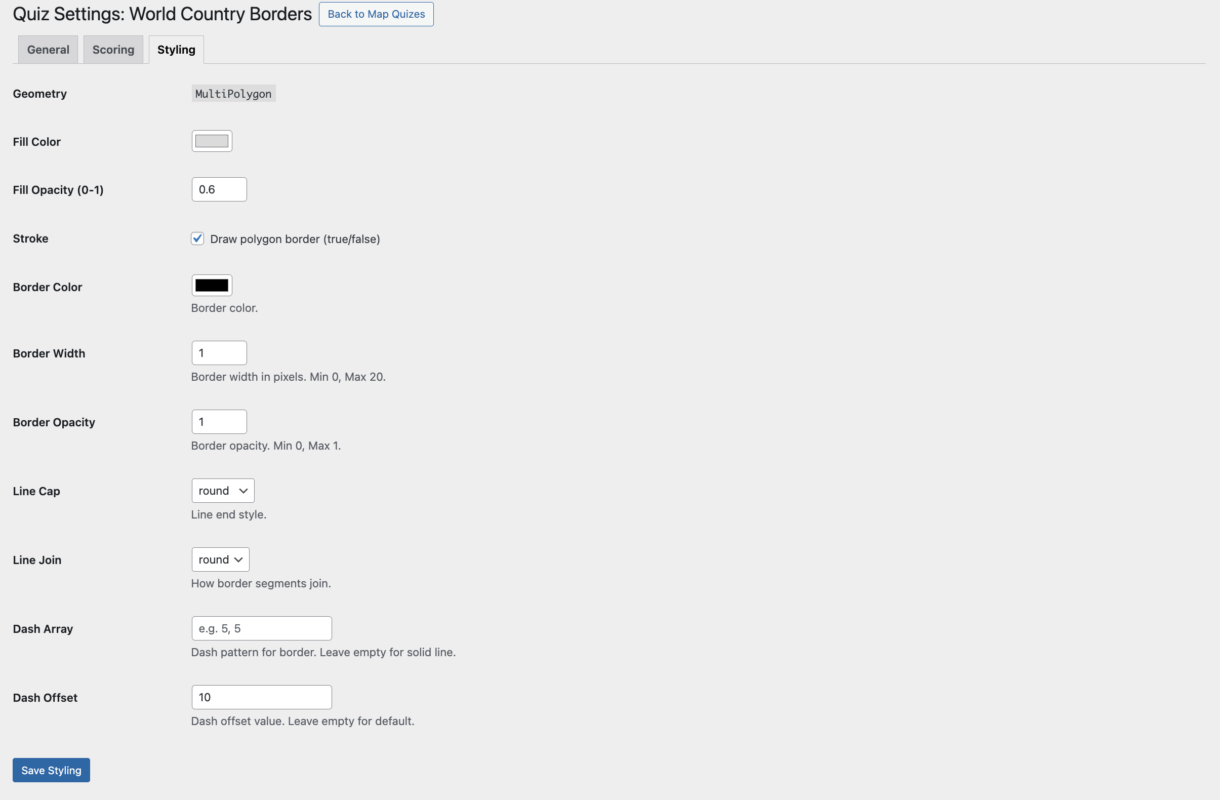
4. Quiz settings tabs (General, Scoring, Styling)
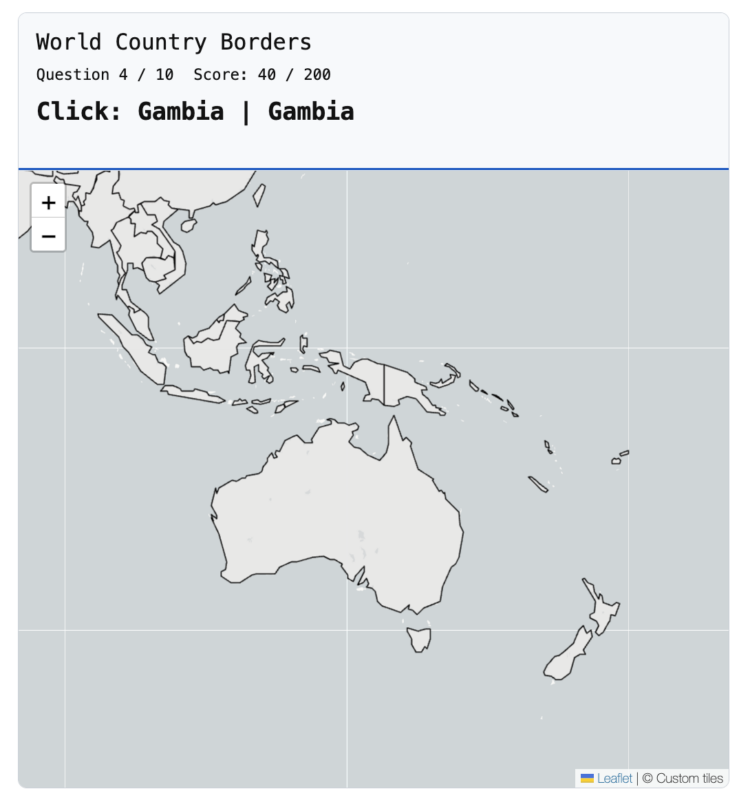
5. Frontend quiz with map, prompt, progress, and score
== Changelog ==
= 1.0.0 =
– Initial stable release.
– Full GeoJSON quiz creation workflow.
– Admin dashboard and quiz management tools.
– Shortcode-based frontend rendering.
– Geometry-aware scoring and styling system.
– Local Leaflet asset bundling for compliance.
– Improved status notices and settings feedback.
= 0.1.0 =
– Initial plugin scaffold and admin shell.
== Upgrade Notice ==
= 1.0.0 =
First stable release with full quiz creation, scoring, and frontend rendering functionality.
World Country Borders
Loading quiz...
Japan Prefectures
Loading quiz...
Screenshots


Download Latest Version Here

Download Starter GeoJSON Files Here